السلام عليكم ورحمة الله تعالى وبركاته
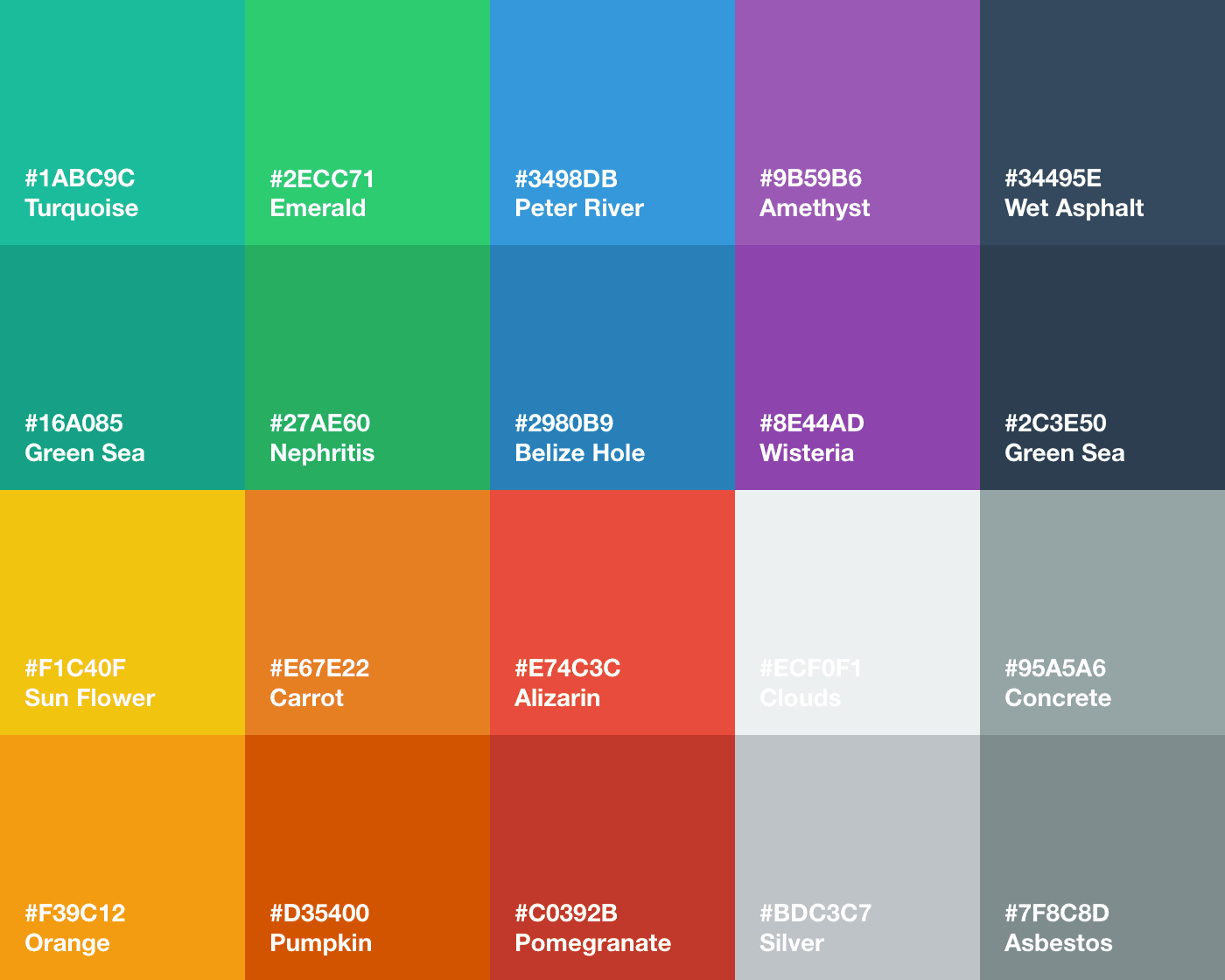
مرحبا بكم في درس جديد على مدونة كيف ويب حيث سنتعرف اليوم باذن الله على طريقة اضافة صفحة خاصة بأكواد الألوان او مايعرف ب color hex , دون ان اطيل عليكم احبتي نمر بعجالة الى الشرح :
أول مايجب ان تقوم به هو الدخول الى لوحة التحكم الخاصة بمدونتك ثم الى الصفحات ثم اضافة صفحة بعدها تغير وضع التأليف الى html كما في الصورة :

وتقوم بنسخ هذا الكود :
<div dir="rtl" style="text-align: right;" trbidi="on"><br /><div dir="rtl" style="text-align: right;" trbidi="on"><ul class="flatui"><li style="background: #5C97BF;">#5C97BF</li><li style="background: #4B77BE;">#4B77BE</li><li style="background: #1F3A93;">#1F3A93</li><li style="background: #2574A9;">#2574A9</li><li style="background: #67809F;">#67809F</li><li style="background: #34495E;">#34495E</li><li style="background: #3A539B;">#3A539B</li><li style="background: #1E8BC3;">#1E8BC3</li><li style="background: #6BB9F0;">#6BB9F0</li><li style="background: #22313F;">#22313F</li><li style="background: #336E7B;">#336E7B</li><li style="background: #19B5FE;">#19B5FE</li><li style="background: #89C4F4;">#89C4F4</li><li style="background: #2C3E50;">#2C3E50</li><li style="background: #3498DB;">#3498DB</li><li style="background: #22A7F0;">#22A7F0</li><li style="background: #94E0EE;">#94E0EE</li><li style="background: #52B3D9;">#52B3D9</li><li style="background: #59ABE3;">#59ABE3</li><li style="background: #26A65B;">#26A65B</li><li style="background: #1E824C;">#1E824C</li><li style="background: #00B16A;">#00B16A</li><li style="background: #2ABB9B;">#2ABB9B</li><li style="background: #4DAF7C;">#4DAF7C</li><li style="background: #03A678;">#03A678</li><li style="background: #26C281;">#26C281</li><li style="background: #019875;">#019875</li><li style="background: #3FC380;">#3FC380</li><li style="background: #16A085;">#16A085</li><li style="background: #2ECC71;">#2ECC71</li><li style="background: #C5EFF7;">#C5EFF7</li><li style="background: #C8F7C5;">#C8F7C5</li><li style="background: #049372;">#049372</li><li style="background: #36D7B7;">#36D7B7</li><li style="background: #66CC99;">#66CC99</li><li style="background: #1BA39C;">#1BA39C</li><li style="background: #1BBC9B;">#1BBC9B</li><li style="background: #65C6BB;">#65C6BB</li><li style="background: #BFBFBF;">#BFBFBF</li><li style="background: #ABB7B7;">#ABB7B7</li><li style="background: #DADFE1;">#DADFE1</li><li style="background: #95A5A6;">#95A5A6</li><li style="background: #C5DCE2;">#C5DCE2</li><li style="background: #BDC3C7;">#BDC3C7</li><li style="background: #EEEEEE;">#EEEEEE</li><li style="background: #D2D7D3;">#D2D7D3</li><li style="background: #F0E2C5;">#F0E2C5</li><li style="background: #EB9532;">#EB9532</li><li style="background: #E67E22;">#E67E22</li><li style="background: #F27935;">#F27935</li><li style="background: #F9BF3B;">#F9BF3B</li><li style="background: #F7CA18;">#F7CA18</li><li style="background: #F9690E;">#F9690E</li><li style="background: #F39C12;">#F39C12</li><li style="background: #D35400;">#D35400</li><li style="background: #F4D03F;">#F4D03F</li><li style="background: #F5AB35;">#F5AB35</li><li style="background: #EB974E;">#EB974E</li><li style="background: #F2784B;">#F2784B</li><li style="background: #F4B350;">#F4B350</li><li style="background: #E87E04;">#E87E04</li><li style="background: #E74C3C;">#E74C3C</li><li style="background: #CF000F;">#CF000F</li><li style="background: #C0392B;">#C0392B</li><li style="background: #D64541;">#D64541</li><li style="background: #EF4836;">#EF4836</li><li style="background: #96281B;">#96281B</li><li style="background: #D91E18;">#D91E18</li><li style="background: #E26A6A;">#E26A6A</li><li style="background: #FF0000;">#FF0000</li><li style="background: #F22613;">#F22613</li><li style="background: #E08283;">#E08283</li><li style="background: #9B59B6;">#9B59B6</li><li style="background: #8E44AD;">#8E44AD</li><li style="background: #BE90D4;">#BE90D4</li><li style="background: #BF55EC;">#BF55EC</li><li style="background: #9A12B3;">#9A12B3</li><li style="background: #913D88;">#913D88</li><li style="background: #722D6A;">#722D6A</li><li style="background: #740A4E;">#740A4E</li></ul><style>ul.flatui {float: left;width: 100%;text-align: center;color: #CFCECE;font: 75% Droid Arabic Naskh;margin: 0;position: relative;}.post ul {list-style: inherit;}ul.flatui li:before {display: none !important;}.flatui li {float: left;width: 20%;padding: 4% 0;list-style: none;background: #444;text-align: center;font: 15px lolblogger;color: #fff;margin: 0;direction: ltr;}</style></div></div>ولصقه في الصفحة وتضغط على حفظ وبهذه الطريقة تكون قد أضفت صفحة خاصة بأكواد الألوان تزيد من احترافية مدونتك وتسهل على زوارك البحث عن أكواد الألوان .
في الأخير اذا صادفت اي مشكلة فلا تتردد في وضعها في تعليق وسنكون سعداء بمساعدتك الى اللقاء .